
Non Stop Casino App
The Non Stop Casino app brings the full excitement of one of the UK's most exciting online casinos directly to your smartphone or tablet. Whether you prefer to play on phone during your morning commute, on your lunch break, or from the comfort of your sofa, the Non Stop Casino mobile experience has been engineered to deliver a seamless, fast, and visually stunning performance. With access to over 4,000 games, exclusive mobile bonuses, and a secure environment built on 256-bit SSL/TLS encryption, the Non Stop Casino mobile app is the definitive way to enjoy premium mobile gaming in the UK.
Available as a native Android app (APK download direct from the site) and as a fully optimised iOS app via a Progressive Web App (PWA) added to your home screen through Safari, the Non Stop Casino application requires no third-party app store and is completely free to install. Read on for everything you need to know — from step-by-step download instructions to exclusive mobile features, system requirements, troubleshooting tips, and frequently asked questions.
Why Choose the Non Stop Casino Mobile App?
The Non Stop Casino mobile casino experience is designed to match, and in several ways surpass, what you get on a desktop browser. The interface is clean, the navigation is intuitive, and the game library is just as vast on a small screen as it is on a monitor. Here is a snapshot of the most compelling reasons to make the Non Stop Casino app your go-to casino app of choice:
- 4,000+ games from 50+ top-tier providers including Pragmatic Play, Evolution Gaming, Play'n GO, NetEnt, Microgaming, Yggdrasil, Hacksaw Gaming, Push Gaming, Spribe, Red Tiger, Nolimit City, and Relax Gaming.
- Free to download — the free app is available at no cost for both Android and iOS users.
- Exclusive mobile bonuses available only to players who register or deposit via the mobile version.
- Biometric Non Stop Casino login via Touch ID and Face ID for fast, secure access.
- Push notifications to keep you informed of the latest promotions, new game releases, and account activity.
- Night mode for comfortable gaming in low-light environments.
- Offline demo mode so you can explore games without an active internet connection.
- Game history and statistics built directly into the mobile app dashboard.
- Full access to live chat support 24/7 and e-mail support at [email protected].
How to Download the Non Stop Casino App on Android (APK)
Because the Non Stop Casino Android app is distributed as an APK (Android Package Kit) directly from the official website rather than through the Google Play Store, you will need to allow installations from unknown sources on your device. This is a standard and safe procedure that millions of UK players follow every day. Follow these steps carefully to download the APK and get started:
- Visit nonstopcasino.uk on your Android device — open your preferred mobile browser and navigate to the official site.
- Locate the App section — scroll to the footer or use the main menu to find the Download App link.
- Tap "Download APK" — the download app button will trigger the APK file to begin downloading to your device.
- Allow unknown sources — when prompted, go to Settings > Security > Install Unknown Apps (the exact path varies slightly by Android version and manufacturer) and toggle the permission on for your browser or file manager.
- Open the APK file — navigate to your Downloads folder, tap the Non Stop Casino APK file, and follow the on-screen installation prompts.
- Launch the app — once installed, the Non Stop Casino app icon will appear on your home screen. Tap it to log in or register.
- Re-enable your security settings (optional but recommended) — once the download APK process is complete, you can return to your device settings and toggle the unknown sources permission back off for added security.
Tip: Always download the APK exclusively from nonstopcasino.uk to guarantee you are installing the authentic, up-to-date version of the Non Stop Casino mobile app.
Android System Requirements
| Requirement | Minimum Specification |
|---|---|
| Operating System | Android 8.0 (Oreo) or higher |
| RAM | 2 GB or more |
| Storage | 150 MB of free space |
| Internet Connection | Wi-Fi or 4G/5G mobile data |
| Screen Resolution | 720p (HD) or higher recommended |
How to Install the Non Stop Casino iOS App (PWA via Safari)
iPhone and iPad users access the Non Stop Casino mobile app through a Progressive Web App (PWA), which delivers a near-native experience without requiring a download from the App Store. The iOS app is added directly to your home screen via Safari, and once installed it behaves just like any other application on your device — complete with an icon, full-screen mode, and push notifications.
- Open Safari on your iPhone or iPad — the PWA technology is optimised for Safari on iOS, so ensure you are using Apple's native browser.
- Navigate to nonstopcasino.uk — type the URL into the Safari address bar and load the Non Stop Casino homepage.
- Tap the Share icon — this is the square with an upward-pointing arrow located in the Safari toolbar at the bottom of the screen.
- Select "Add to Home Screen" — scroll through the share sheet until you see this option and tap it.
- Name the shortcut — you can leave it as "Non Stop Casino" or customise it, then tap Add in the upper-right corner.
- Launch from your home screen — the Non Stop Casino icon will appear on your home screen. Tap it to open the mobile casino in full-screen mode without any browser interface cluttering your view.
iOS System Requirements
| Requirement | Minimum Specification |
|---|---|
| Operating System | iOS 14.0 or higher |
| Device | iPhone 6s or later, iPad (5th gen) or later |
| Browser | Safari (required for PWA installation) |
| Storage | Minimal (PWA stores data in browser cache) |
| Internet Connection | Wi-Fi or 4G/5G mobile data |
Non Stop Casino Mobile App vs Desktop Version: Key Differences
Both the Non Stop Casino app and the desktop browser version give you access to the same account, games, bonuses, and support. However, the mobile version includes several features specifically tailored for on-the-go players that you simply will not find in a conventional desktop browser window.
| Feature | Mobile App | Desktop Version |
|---|---|---|
| Biometric Login (Touch ID / Face ID) | ✓ Available | ✗ Not available |
| Push Notifications | ✓ Available | ✗ Not available |
| Night Mode | ✓ Available | Limited (system setting only) |
| Offline Demo Mode | ✓ Available | ✗ Not available |
| Game History & Statistics Dashboard | ✓ Integrated | Via account settings only |
| Favourite Games Shortlist | ✓ Quick-access panel | ✓ Available |
| Exclusive Mobile Bonuses | ✓ Available | ✗ Not available |
| Full Game Library (4,000+) | ✓ Full access | ✓ Full access |
| Live Casino | ✓ Full access | ✓ Full access |
| Customer Support (Live Chat) | ✓ 24/7 | ✓ 24/7 |
Exclusive Features of the Non Stop Casino Mobile App
The Non Stop Casino mobile app is far more than a shrunken version of the website. The development team has built a suite of mobile-exclusive features that enhance convenience, security, and personalisation for players who prefer to enjoy their casino on mobile.
Biometric Login: Touch ID and Face ID
Once you have registered and logged in for the first time, you can activate biometric authentication on supported devices. This means you can access your Non Stop Casino account with a single fingerprint or facial scan — no need to type your password every time. This is both faster and more secure than a traditional password, and your biometric data never leaves your device.
Push Notifications
Stay ahead of the action with push notifications delivered straight to your lock screen. Non Stop Casino sends alerts for new promotional offers, free spins drops, exclusive mobile app bonuses, game release announcements, and important account activity such as successful withdrawals. You can customise which notifications you receive at any time through the app settings.
Night Mode
Gaming late into the evening? The built-in night mode switches the Non Stop Casino mobile interface to a dark colour palette, reducing eye strain and making it far more comfortable to play on phone in a dark room. Toggle it on or off instantly from the settings menu within the app.
Favourite Games Shortlist
With over 4,000 games in the catalogue, finding your favourites quickly is essential. The Non Stop Casino app lets you save any game to a personal shortlist accessible from the home screen of the application. Whether it is a specific live roulette table, a Pragmatic Play slot, or a Spribe crash game, your favourite titles are always one tap away.
Offline Demo Mode
The offline demo mode is one of the most innovative features of the Non Stop Casino mobile app. When you lose your internet connection or simply want to explore a game without wagering real money, certain games load in a cached demo format so you can continue playing without interruption. This is ideal for trying out new titles or practising strategies on the go.
Game History and Statistics
The integrated history and statistics dashboard in the Non Stop Casino application gives you a transparent, real-time view of your gaming activity. Track your session lengths, win/loss ratios, most played games, and average bets — all within the mobile app itself. This data is invaluable for responsible gambling and helps you make informed decisions about how you play.

Get 100% up to £4,000 and 300 Free Spins
Activate NowRegistration and First Deposit via the Non Stop Casino App
Creating a new account on the Non Stop Casino mobile app takes fewer than five minutes. The registration form is streamlined for mobile screens, and you can complete the entire process — from sign-up to first deposit — without ever switching to a desktop browser.
- Open the Non Stop Casino app and tap Register.
- Enter your e-mail address, username, and password.
- Provide your personal details: full name, date of birth, residential address, and phone number.
- Confirm you are aged 18 or over and agree to the Terms and Conditions.
- Verify your e-mail address by clicking the link sent to your inbox.
- Navigate to the Cashier section within the mobile version and select your preferred payment method.
- Make a minimum deposit of £20 to qualify for the welcome Non Stop Casino bonus.
Payment options available via the Non Stop Casino mobile casino include Visa, Mastercard, Apple Pay, Google Pay, PayPal, Trustly, Skrill, Neteller, Paysafecard, Bitcoin, Ethereum, Litecoin, and bank transfer — all accessible directly within the app.
Welcome Bonus and Exclusive Mobile Promotions
New players who join through the Non Stop Casino app are eligible for one of the most generous welcome packages in the UK market: up to £500 + 100 free spins spread across the first three deposits.
| Deposit | Bonus | Free Spins | Maximum Bonus |
|---|---|---|---|
| 1st Deposit | 100% match | 50 free spins | £200 |
| 2nd Deposit | 50% match | 30 free spins | £150 |
| 3rd Deposit | 75% match | 20 free spins | £150 |
Wagering requirements are 35x the bonus amount. In addition to the standard welcome package, Non Stop Casino regularly offers exclusive promotions for mobile app users, including reload bonuses, free spins on newly launched titles, and cashback offers through the VIP programme (Bronze, Silver, Gold, Platinum, and Diamond tiers with cashback ranging from 10% to 20%). Keep an eye on push notifications to never miss a mobile-exclusive offer.
Security and Responsible Gambling on the Non Stop Casino App
Security is a cornerstone of the Non Stop Casino mobile experience. The platform is licensed by the Government of Curaçao and protected by 256-bit SSL/TLS encryption on every connection — whether you are logging in on Wi-Fi or 4G. All games use a certified Random Number Generator (RNG) independently verified by accredited laboratories, so every spin, hand, and roll is genuinely random.
KYC (Know Your Customer) verification is mandatory before your first withdrawal. This process involves uploading a copy of your ID and a proof of address, and it can be completed entirely within the Non Stop Casino app by using your phone's camera. Once verified, withdrawals are processed within 24 to 72 business hours, with daily limits of £5,000, weekly limits of £15,000, and monthly limits of £30,000.
Responsible Gambling Tools
Non Stop Casino is committed to promoting safe, responsible gambling. The following tools are available directly within the mobile app:
- Deposit limits: set daily, weekly, or monthly caps on how much you can deposit.
- Bet and loss limits: control the maximum amount you can wager or lose in a given period.
- Session time limits: receive automatic reminders or hard stops when you reach your session limit.
- Reality checks: periodic pop-up notifications showing your session duration and net balance.
- Cooling-off periods: take a short break of 24 hours, 48 hours, 7 days, or 30 days.
- Self-exclusion: opt for a longer break of 6 months, 1 year, 5 years, or permanent exclusion.
Troubleshooting Common Problems with the Non Stop Casino Mobile App
Occasionally, players may encounter minor technical issues when using the Non Stop Casino app. Here are the most common problems and their solutions:
The APK will not install on my Android device
Ensure that you have enabled installation from unknown sources in your device's security settings. If you have already done this and the problem persists, check that your device is running Android 8.0 or higher and that you have at least 150 MB of free storage. Delete any previous versions of the APK before installing the latest one.
The iOS PWA is not working correctly in Safari
The Non Stop Casino iOS app (PWA) is specifically optimised for Safari. If you are using a third-party browser such as Chrome or Firefox, the "Add to Home Screen" functionality will not work as expected. Ensure you are using Safari and that your device runs iOS 14.0 or higher.
Games are loading slowly or freezing
Slow loading times are usually caused by a poor internet connection. Switch from mobile data to Wi-Fi if possible, or move to an area with stronger signal. Close any other applications running in the background to free up RAM. If the issue persists, clear the app's cache in your device settings and restart the Non Stop Casino mobile app.
I am unable to log in using biometrics
If Touch ID or Face ID is not working, check that biometric authentication is enabled in both your device's system settings and within the Non Stop Casino app settings. If you have recently changed your fingerprints or facial data in iOS/Android, you may need to re-enable biometric login within the application.
I have not received a push notification
Ensure that push notifications are enabled for the Non Stop Casino app in your device's notification settings. On iOS, go to Settings > Non Stop Casino > Notifications and confirm that Allow Notifications is toggled on. On Android, go to Settings > Apps > Non Stop Casino > Notifications.
My deposit is not showing in the app
Most deposits reflect in your Non Stop Casino account instantly. If yours has not appeared within a few minutes, try refreshing the mobile app or logging out and back in. If the issue persists after ten minutes, contact the support team via live chat or e-mail at [email protected].
User Interface and Design of the Non Stop Casino Mobile App
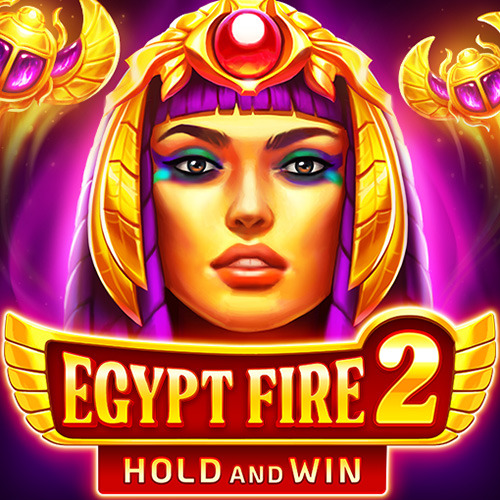
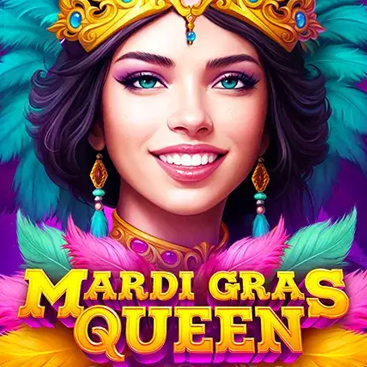
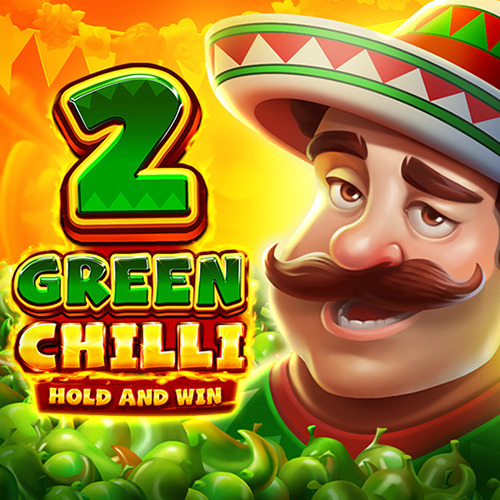
The Non Stop Casino mobile app has been designed from the ground up with a mobile-first philosophy. The interface is clean and uncluttered, with a dark-themed main navigation bar at the bottom of the screen giving you instant access to the lobby, promotions, cashier, live casino, and your account. Games are displayed in a visually rich grid layout with high-resolution thumbnails that load quickly even on slower connections.
The search function is prominently positioned at the top of the lobby, allowing you to find any of the 4,000+ titles in seconds by name or provider. Filters let you sort by category — slots, live casino, table games, jackpots, crash games — as well as by provider and by popularity. The overall aesthetic is modern and consistent, with smooth animations that do not compromise performance on mid-range devices.
The cashier within the Non Stop Casino mobile casino is equally well designed. Depositing and withdrawing funds takes just a few taps, with your saved payment methods shown at the top for quick access. The minimum deposit via the mobile version is £20, and the minimum withdrawal is £30.



VIP Programme on Mobile
The full Non Stop Casino VIP programme is accessible through the mobile app. As you play, you accumulate loyalty points that move you through five tiers: Bronze, Silver, Gold, Platinum, and Diamond. Higher tiers unlock progressively greater cashback rates — from 10% at Bronze up to 20% at Diamond — as well as priority withdrawal processing, a dedicated account manager, and exclusive invitations to special events. All of this can be tracked and managed directly within the Non Stop Casino application.
Get 100% up to £4,000 and 300 Free Spins
Activate NowFrequently Asked Questions (FAQ)
Is the Non Stop Casino app free to download?
Yes. The Non Stop Casino app is a free app for both Android (APK) and iOS (PWA). There are no fees associated with downloading or installing it. Standard data charges from your mobile network provider may apply when downloading the APK or loading games over mobile data.
Can I play all 4,000+ games on the Non Stop Casino mobile app?
Yes. The Non Stop Casino mobile experience gives you access to the complete game library, including slots, live dealer tables, table games, jackpot games, and crash games. The full catalogue from providers including Pragmatic Play, Evolution Gaming, NetEnt, and Microgaming is available via the casino app.
Is the Non Stop Casino mobile app safe to use?
Absolutely. The Non Stop Casino app uses 256-bit SSL/TLS encryption to protect all data transmitted between your device and the casino's servers. The platform is licensed by the Government of Curaçao, and all games use RNG technology certified by independent testing laboratories. The Android app APK is distributed exclusively from the official nonstopcasino.uk website, ensuring authenticity.
How do I download the Non Stop Casino APK on Android?
Visit nonstopcasino.uk on your Android browser, navigate to the App section, and tap the download APK button. You will need to allow installations from unknown sources in your device's security settings. Follow the on-screen prompts to complete the installation. Full step-by-step instructions are provided in the Android section above.
Does Non Stop Casino have a dedicated iOS app in the App Store?
The Non Stop Casino iOS app is not currently available in the Apple App Store. Instead, iPhone and iPad users access the mobile casino through a Progressive Web App (PWA) added to the home screen via Safari. This delivers a full-screen, app-like experience without requiring an App Store download, and it is updated automatically every time you open it.
Can I claim bonuses through the Non Stop Casino mobile app?
Yes. All standard bonuses, including the welcome package of up to £500 + 100 free spins, are claimable through the Non Stop Casino app. Additionally, certain promotions are exclusive to mobile app users and are announced via push notifications. Check the Promotions section of the application regularly for the latest offers.
What payment methods are available in the Non Stop Casino mobile app?
The Non Stop Casino mobile casino supports all the same payment methods as the desktop version: Visa, Mastercard, Apple Pay, Google Pay, PayPal, Trustly, Skrill, Neteller, Paysafecard, Bitcoin, Ethereum, Litecoin, and bank transfer. The minimum deposit is £20 and the minimum withdrawal is £30.
How do I enable biometric login on the Non Stop Casino app?
After logging in for the first time on the Non Stop Casino mobile app, navigate to Settings > Security within the application and toggle on the biometric login option. You will be prompted to authenticate with your device's Touch ID or Face ID to confirm the activation. Biometric login is available on all compatible Android and iOS devices.
What should I do if the Non Stop Casino app is not working?
First, check your internet connection and ensure you are running the minimum required operating system (Android 8.0+ or iOS 14.0+). Clear the app cache, close and restart the Non Stop Casino mobile app, and try again. If you continue to experience problems, contact Non Stop Casino customer support via live chat (available 24/7) or by e-mail at [email protected].
Is there a mobile version of Non Stop Casino I can use without downloading anything?
Yes. In addition to the Android app (APK) and the iOS PWA, Non Stop Casino also offers a fully responsive mobile website that works in any modern smartphone browser. Simply visit nonstopcasino.uk on your phone and the site will automatically adapt to your screen size. However, for the best experience — including biometric login, push notifications, night mode, and offline demo mode — we recommend installing the dedicated Non Stop Casino app.
The Non Stop Casino app represents the pinnacle of mobile gaming for UK players. From the effortless download process and intuitive design to the rich catalogue of 4,000+ games and exclusive mobile-only features, every detail has been crafted to deliver a premium casino on mobile experience. Whether you are an Android enthusiast who prefers to download APK files directly, or an iPhone user who values the simplicity of a PWA on their home screen, the Non Stop Casino mobile app has you covered. Install it today, claim your welcome bonus, and discover why Non Stop Casino is rapidly becoming the first choice for mobile casino players across the United Kingdom.